Search every drive and cloud at once — even when unplugged
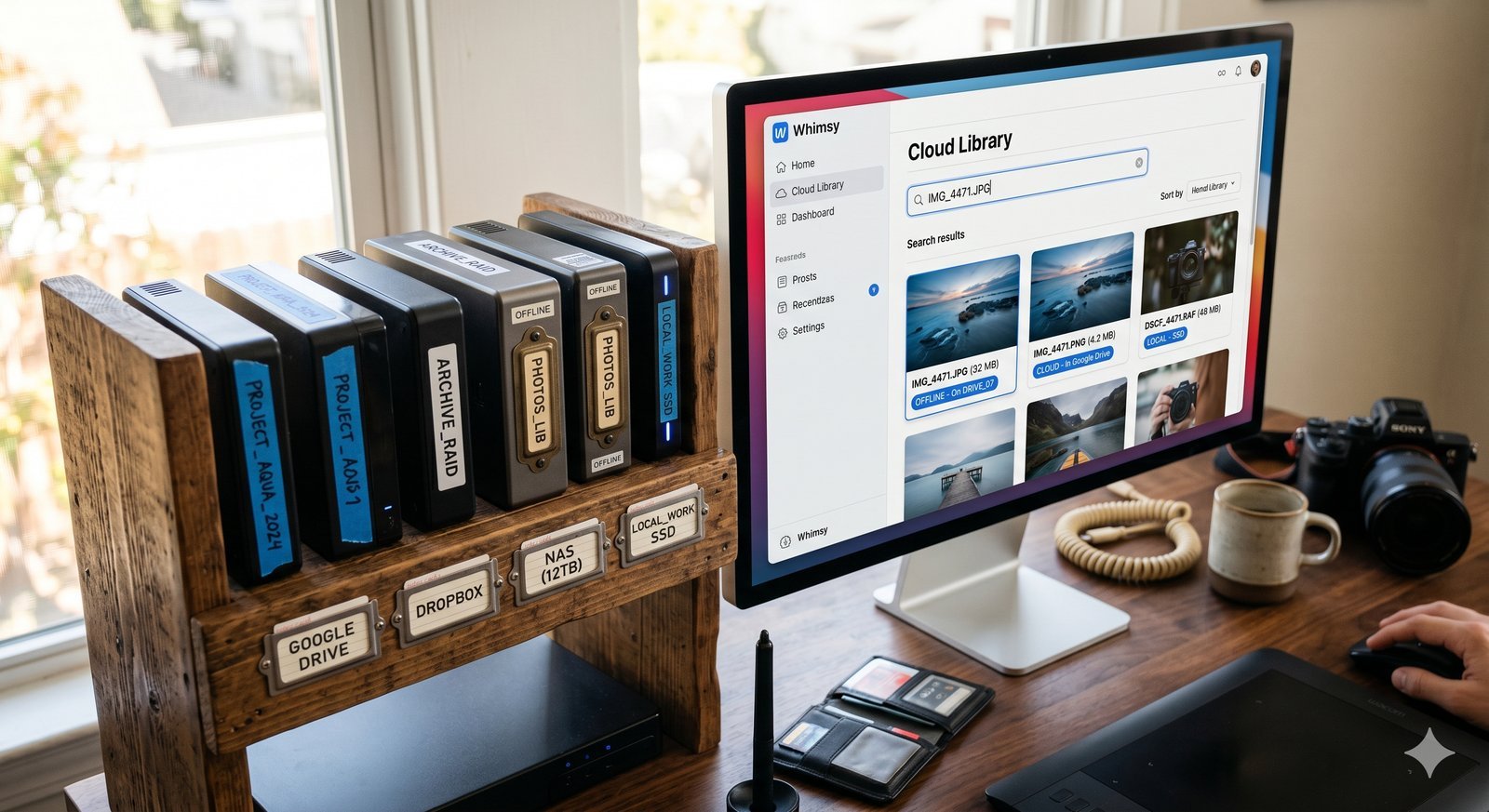
Whimsy helps turn disconnected drives, NAS volumes, and cloud folders into one searchable file catalog.
Your archive is probably not one archive
It is a laptop SSD, three external drives, a NAS in the closet, old client work in a cloud folder, exports in another cloud account, and a few mystery drives you only plug in when something is missing.
The problem is not storage. The problem is memory.
You know the file exists. You do not know where it lives. Whimsy is built for that exact moment.
The problem with modern creative storage
Creative work does not stay in one place. A photographer may have current weddings on a fast SSD, older RAWs on external drives, finals in a cloud folder, and backups on a NAS. A video editor may have project media on one drive, renders on another, and archives spread across cold storage. A small studio may have files split between local machines, cloud accounts, and shared folders.
Traditional file search only works when the right drive is connected and mounted. Cloud search only works inside one provider. NAS search only works when you are connected to the network and already know where to look.
That leaves the user doing the real work: remembering storage history.
Whimsy turns storage into a searchable catalog
Whimsy creates a searchable layer across your storage locations. Instead of thinking, “Which drive was that on?” you search Whimsy first.
Whimsy can catalog local folders, external drives, NAS volumes, synced cloud folders, and other connected storage locations. For visual libraries, it can help you move through large image and video archives without manually opening every storage location.
The point is not to replace your storage. The point is to make your existing storage understandable. To see what Whimsy is and how it manages these connections, read our guide on What is Whimsy?. We also cover how this differs from other catalog options in Whimsy vs traditional disk catalogers.
Offline disk cataloging
Offline disk cataloging is one of the most useful workflows for anyone with shelves of external drives. When a drive has been cataloged, Whimsy can retain searchable information about what was on it. That means you can discover that a file belongs to a drive even when the drive is not currently plugged in.
During the scanning process, Whimsy indexes filenames, directory trees, file sizes, creation dates, and metadata. It even extracts local previews and processes visual embeddings, storing them in your local catalog database. This matters because the biggest cost of cold storage is not the disk. It is the search time.
Without a catalog, every retrieval becomes a guessing game. With a catalog, you can identify the likely drive before you leave your desk, open a drawer, or mount old hardware.

A better workflow
A Whimsy-style workflow looks like this:
- Add your storage locations.
- Let Whimsy catalog the files and metadata in the background.
- Search across locations from one interface.
- See where the file lives.
- Connect the right drive only when you need the original.
That is a major shift from the usual process of plugging in drives one by one and hoping the filename looks familiar.
Why this is different from cloud-only search
Cloud-only search assumes your files are already uploaded to one provider. Whimsy does not start from that assumption.
Many serious archives are too large, too private, too expensive, or too physically distributed to live entirely in one cloud. Whimsy is designed for the hybrid reality: local files, offline drives, NAS volumes, synced folders, and hosted storage can all be part of the same searchable mental model. The files remain on your storage; only the lightweight searchable index lives locally on your system.
The short version
Whimsy helps you search across fragmented storage. For photographers, editors, studios, and power users, that means external drives, NAS volumes, local folders, and cloud storage can become one searchable catalog instead of a pile of disconnected places.
Last updated: June 26, 2026
Comments (0)
The views in comments are those of the author and do not necessarily reflect the views of NumeraCode. We reserve the right to remove inappropriate content.