Instant event photo delivery with no upload: camera to live QR gallery

Instant event photo delivery should begin while the photographer is still shooting. Transfer the photographs from the camera to a predefined folder, and Whimsy can select, prepare, and release the first batch through a live QR gallery—without a separate upload step.
How often does an event finish at 8:40 p.m. with the client already asking for highlights they can post on social media?
At a professional event, the social team wants photographs before attendees leave. Sponsors want images they can repost, and speakers and guests want to share the moment while people are still talking about it. The strongest photographs may already be on the photographer’s computer, but they are not yet in anyone else’s hands.
Traditionally, delivering them that evening means working through the night. The photographer must stop, cull the shoot, prepare a set, upload it into a gallery, and send a link. By then, the social conversation may have moved on.
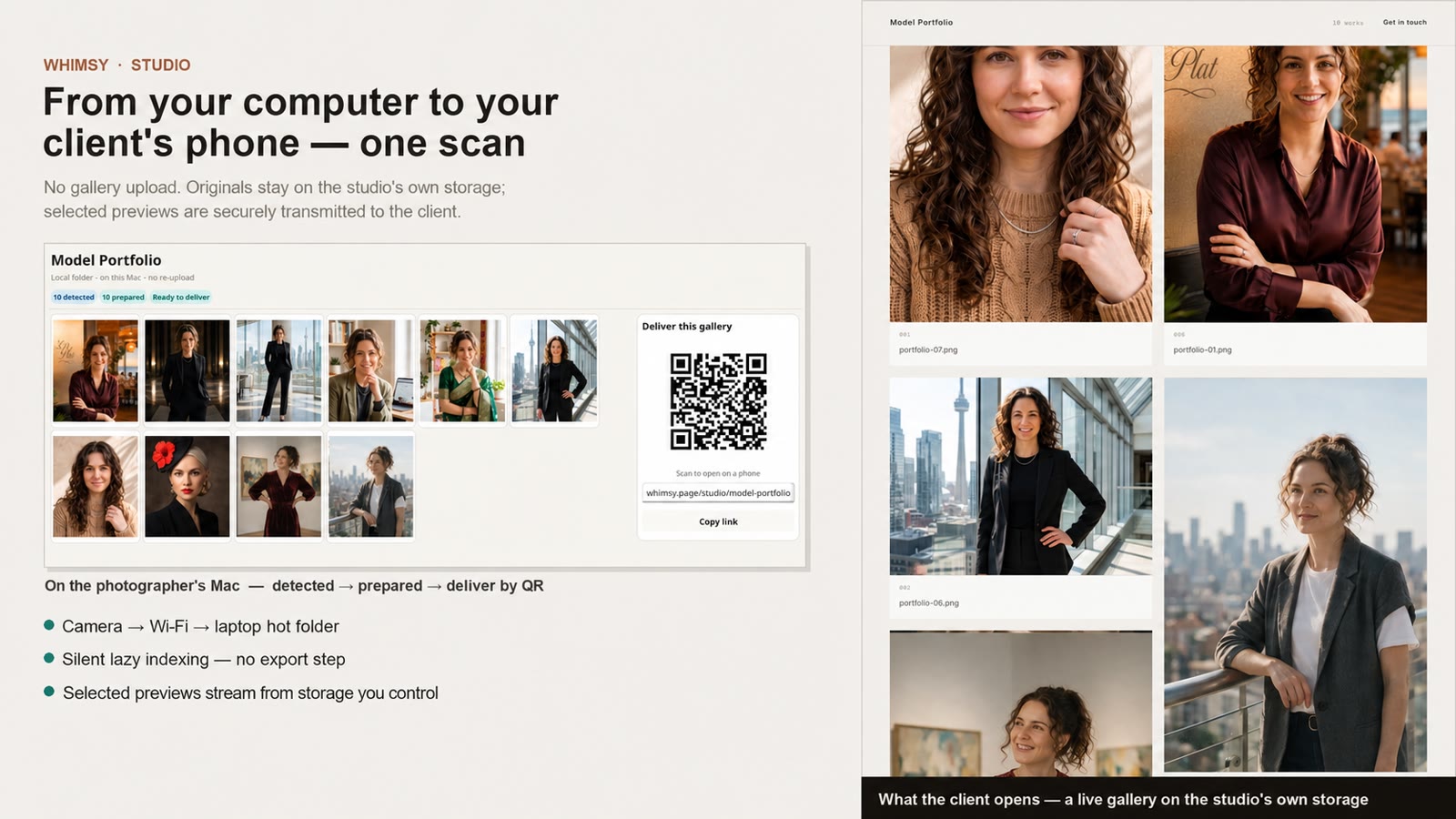
Whimsy introduces a different workflow. You point the Whimsy local app at a predefined folder on the photographer’s computer. A compatible camera or tethering application can transfer photographs into that folder over Wi-Fi at a chosen interval, or the photographer can transfer a completed batch manually.
As new photographs arrive, an automated selector works through the incoming frames, indexes them, and prepares the first release batch while the shoot remains in progress. When the batch satisfies the photographer’s predefined release rule, it becomes available through the event’s QR gallery.
The photographer keeps shooting. The event starts sharing.
What “no upload” means
With a conventional online gallery, the photographs on your computer are only the beginning. Someone must select the images, prepare another set, and upload that set into the platform’s storage before anyone else can see it.
Whimsy treats the predefined folder on the photographer’s computer as the working source. There is no separate stage where the photographer stops and uploads the shoot into another permanent photo library.
The selected images are still securely transmitted when a client, guest, or social team opens the QR gallery. Delivery requires transmission; it does not require surrendering the working library to another platform. That distinction is the foundation of no-upload live shoot delivery.
Because Whimsy delivers from storage you control, the source storage and its Whimsy connector must remain powered, connected, and online while clients need access to the instant previews. If the source goes offline, the originals remain safe, but preview access pauses until the connection returns.
Clients can comment on a gallery sent for approval, keeping requested changes attached to the delivery instead of a disconnected list of filenames.
From camera to QR gallery while the event is live
The workflow begins with a process photographers already use: transferring photographs from the camera to a computer. Once the files arrive in the predefined shoot folder, Whimsy takes over the repetitive middle of the workflow.
Local detection. Photographs arrive through the camera, tethering application, or manual batch transfer. Whimsy watches the folder for incoming work.
Background indexing. Whimsy indexes incoming files without interrupting the shoot.
Automated selection. The first-pass selector identifies strong, sharp candidates without requiring the photographer to review every incoming frame.
Rules-based batches. Whimsy prepares candidates according to the photographer’s batch definition.
Live QR delivery. Clients scan one stable QR code. New batches appear through the same entry point.
The photographer does not have to stop shooting
Fast event delivery normally creates a second job: watching files, selecting frames, preparing exports, and maintaining the gallery. Without another person, the photographer must interrupt the shoot.
Whimsy’s automated first-pass selector works as photographs arrive and prepares a rapid-delivery selection without asking the photographer to sit at the computer between moments.
This does not declare the event fully edited. A photographer may still create a carefully finished gallery later. The live batch puts strong photographs into people’s hands while the moment is still relevant.
Why delivery speed changes the value of a photograph
A photograph delivered next week preserves the event. A photograph delivered while the event is happening can participate in it.
- Conferences: Publish photographs while the keynote is still being discussed.
- Sports: Share action highlights before spectators leave.
- Brand activations: Place new photographs into an active launch campaign.
- Fashion and performance: Release backstage, runway, or stage photographs while the show is current.
- Weddings: Let guests view professional photographs before the reception ends.
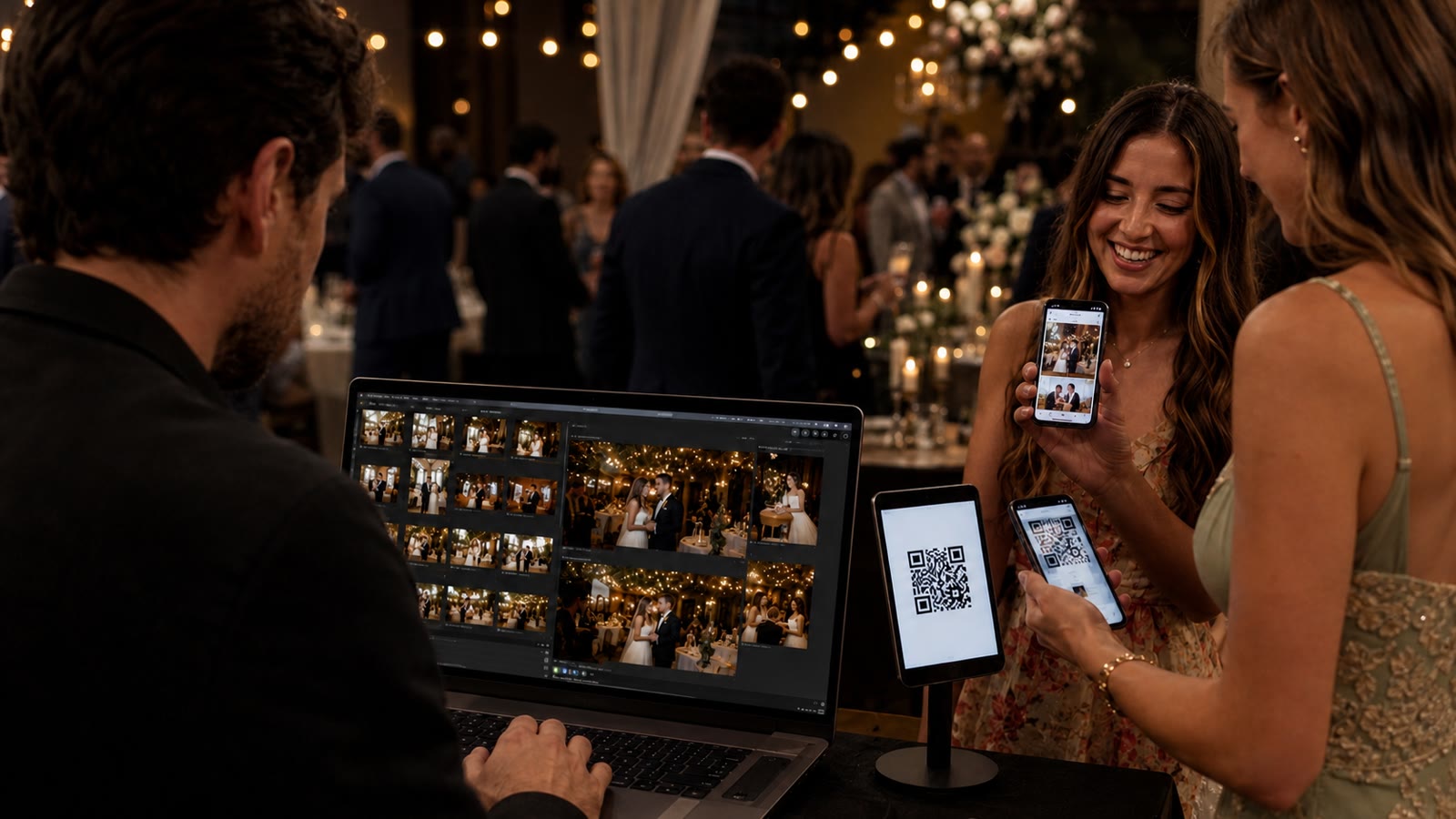
The traditional delivery cycle treats every photograph as a final archive asset. Live shoot delivery recognizes that some photographs also have immediate social value. Speed is not merely a convenience. It changes what the photograph can do.
Traditional hosted delivery versus Whimsy
| Phase | Traditional hosted workflow | Whimsy local-first workflow |
|---|---|---|
| Ingest | Import photographs to the computer. | Detect incoming files in a predefined local folder. |
| Culling | Stop shooting or assign another person to filter frames. | Run an automated first-pass selector as photographs arrive. |
| Processing | Export a secondary set of JPEGs. | Prepare selected photographs locally in the background. |
| Hosting | Wait for an upload queue to a third-party cloud. | No upload step. Selected previews are securely delivered from source storage that remains online. |
| Updates | Upload additional files and refresh the delivery. | Add new batches behind one persistent QR entry point. |
| Feedback | Collect comments through email or another tool. | Keep comments connected to the delivered gallery. |
The difference is not that Whimsy uploads more quickly. The difference is that the photographer does not perform a gallery upload at all.
A professional gallery, not a guest-upload folder
Many QR-code event galleries collect phone photographs from guests into a shared album. That is useful, but it solves a different problem.
Whimsy begins with the professional camera workflow. The QR code is the delivery surface, not the capture device; clients receive the photographer’s selected work.
The originals remain under the photographer’s control
No-upload delivery is also about custody. The local shoot folder remains the source; Whimsy does not require a new hosted archive or platform-specific folder structure.
Close Whimsy and the files remain where they were transferred. The photographer’s RAW files, folder layout, and existing editing workflow do not depend on the gallery remaining active. Live delivery becomes a capability attached to the photographer’s storage—not a new place where the photographer must permanently keep the shoot.
For finished assignments, Whimsy can also create a branded client gallery without a second upload. For larger first-pass workflows, our guide to offline photo selection and local visual search explains how local processing shortens the path through a RAW-heavy shoot.
Frequently asked questions
What is instant event photo delivery?
Instant event photo delivery makes professional photographs available to clients, guests, or social teams while an event is still happening. With Whimsy, incoming photographs are selected and prepared from a predefined local folder, then released through a live QR gallery.
Does “no upload” mean the photographs are never transmitted?
No. Selected photographs are securely transmitted when someone views or downloads them. “No upload” means the photographer does not upload the shoot into a separate gallery platform or maintain another permanent hosted copy before delivery can begin.
What happens if the photographer’s storage goes offline?
Clients can access instant previews only while the source storage and Whimsy connector remain online. If the computer, NAS, or connected source becomes unavailable, gallery access pauses. It resumes when the source reconnects; the files do not need to be uploaded again.
Does the photographer need to cull the first batch manually?
No manual culling queue is required for the rapid-delivery batch. Whimsy’s automated selector processes incoming photographs while the photographer continues shooting. The photographer can still perform a complete creative edit for the final gallery afterward.
How do clients access the photographs?
Clients or guests scan the event’s QR code with their phone. The same photography client gallery can receive additional prepared batches as the shoot progresses, so the event does not need a new code for every release.
Can clients request changes?
Yes. Once the delivery is ready and sent for approval, clients can comment on the gallery and request changes to the delivered selection.
Does Whimsy replace the final edited gallery?
Not necessarily. Live delivery serves the immediate event and social-sharing window. A photographer can still produce a larger, carefully edited final gallery later.
From camera to client, without the queue
The fastest gallery is not the one that uploads files more quickly. It is the one that removes the upload step from the photographer’s work.
Transfer the photographs from the camera. Keep them in the local folder you control. Let Whimsy select, prepare, and release each batch through a live QR gallery while you continue shooting.
Whimsy is building no-upload live shoot delivery for photographers who need the first professional images to arrive while the moment is still happening. Open the client-facing delivery gallery to see the presentation clients receive. During a live event, new prepared batches appear through the same delivery surface.
Comments (0)
The views in comments are those of the author and do not necessarily reflect the views of NumeraCode. We reserve the right to remove inappropriate content.